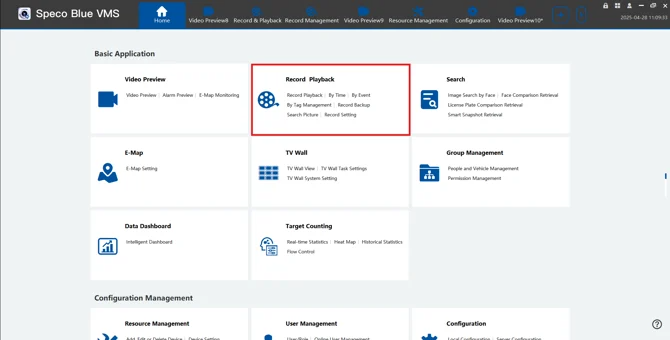
- First, go to Home > Record & Playback
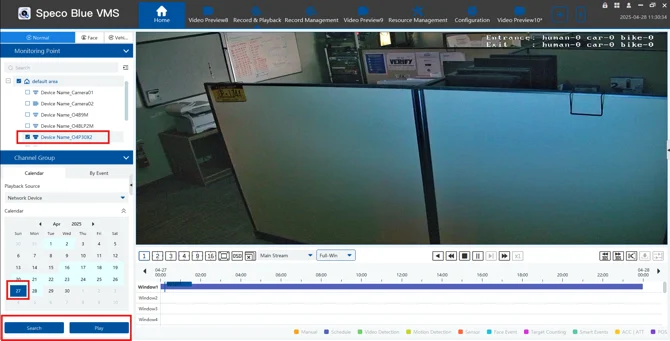
- Next, select the desired cameras and date
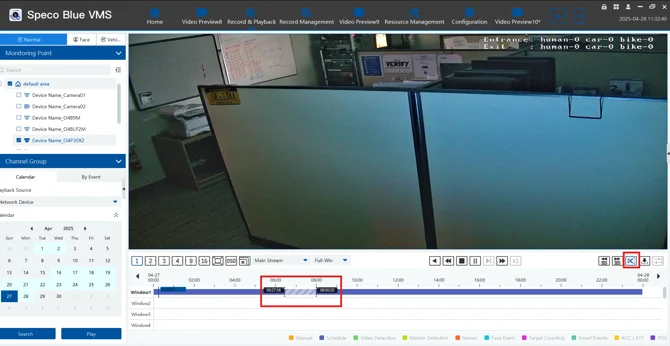
- Once the timeline loads, use the Scissors Icon and then select the start point and end point for the export
- Next click the Export Button next to the scissors icon.
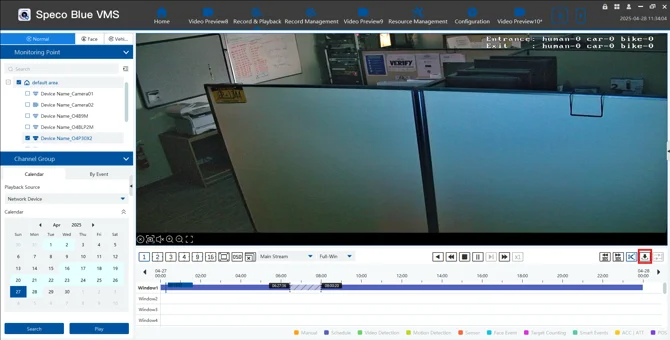
- The footage automatically to a default location which is typically C:/Backup
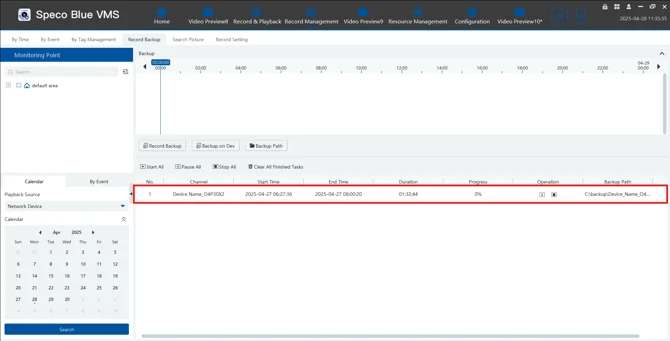
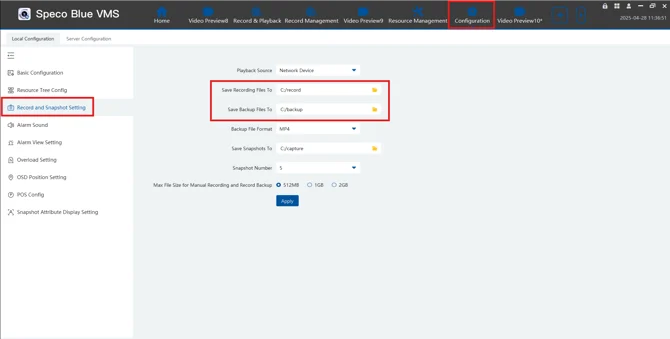
- To change this default location go to you Configuration Settings and then "Record and Snapshot" setting.
Was this article helpful?
That’s Great!
Thank you for your feedback
Sorry! We couldn't be helpful
Thank you for your feedback
Feedback sent
We appreciate your effort and will try to fix the article